Architecture
Architecture software for Mac: what to use, and for which stage
Updated October 5, 2026
The short answerThe best architecture software for a Mac depends on the stage of the project: concept and massing tools for the early form, BIM or CAD tools for drawings and documentation, and visualization tools for images. uMake covers the early stage on a Mac with Apple silicon: 3D sketching and massing, floor plans from a plan image with AI, sun studies, AI renders and project boards. It isn’t a BIM or documentation tool, so pair it with one for construction drawings.
Pick by stage, not by brand
No single app does every part of an architect’s work equally well, on a Mac or anywhere else. Most practices combine a few tools, each strong at one stage:
| Stage | Kind of tool | What it produces |
|---|---|---|
| Concept and massing | 3D sketching and form modeling (uMake is one) | Volumes, options, early studies |
| Design development and documentation | BIM and 2D/3D CAD drafting tools | Plans, sections, schedules, DWG sets |
| Visualization | Rendering tools, including AI rendering | Images, films, walkthroughs |
| Presentation and review | Boards, slides, AR | Pin-ups, client reviews, mood boards |
Several established BIM and CAD tools run natively on macOS, among them Archicad and Vectorworks, and SketchUp is a widely used 3D modeler for early design. Others are made for Windows only. Before you choose, check that the tools your office or collaborators use exchange files with your Mac setup.
Where uMake fits on a Mac
uMake runs on a Mac with Apple silicon: the iPad app runs natively, with the same designs syncing to your iPad and iPhone through a free account. On Mac you work with a keyboard and trackpad, and shortcuts such as 1, 2 and 3 switch between the Precision, Pen and Freestyle tools.
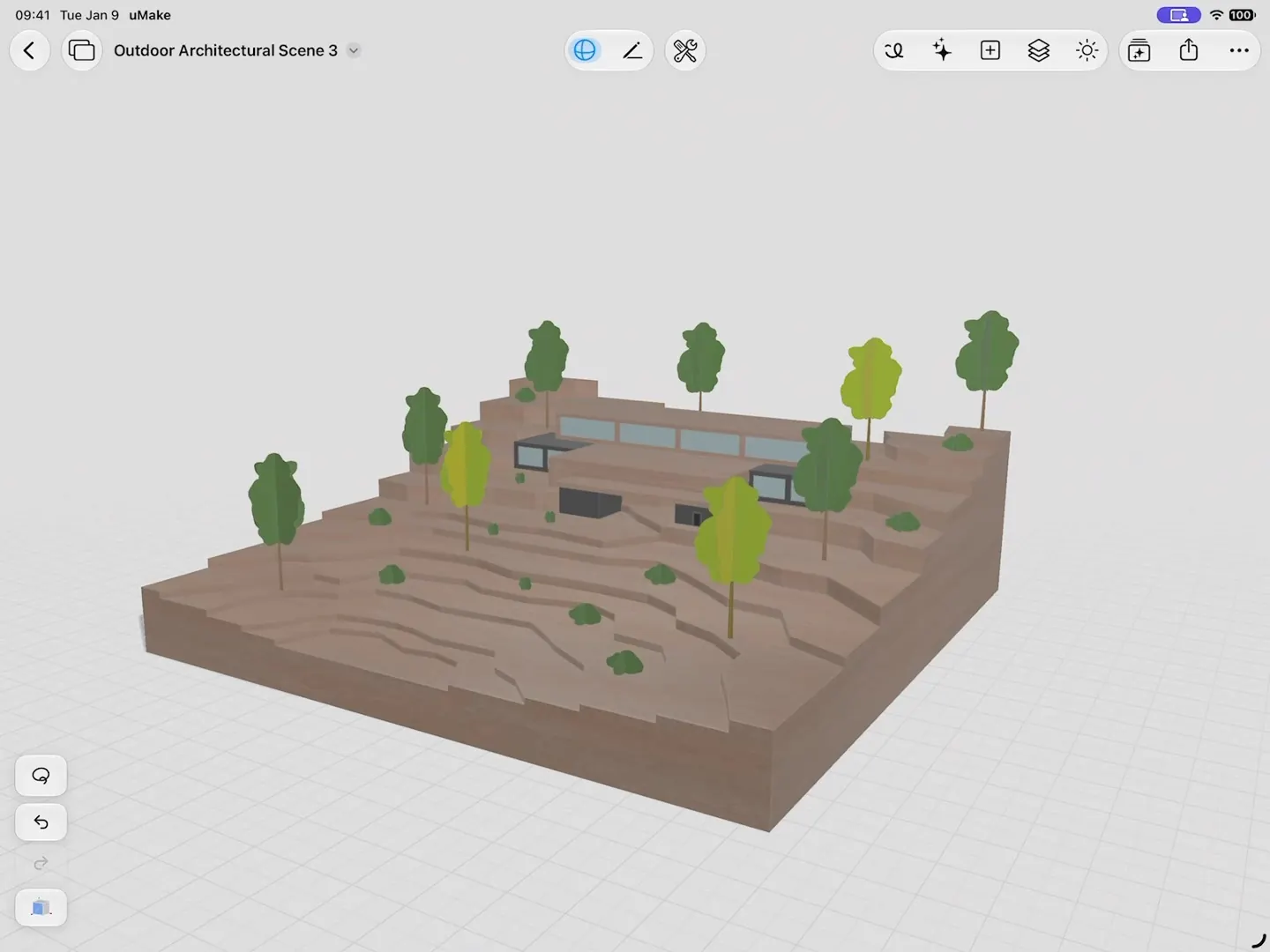
- Massing. Draw a footprint with Precision, give it height with Push & Pull, and work in meters or feet. Components keep repeated bays, windows or trees linked, so one change updates every copy.
- Floor plans from a plan image. Attach a floor plan image and AI Design Partner builds it in 3D: measured walls and openings, rotated plans and concave rooms, up to three stories with slabs and stairs. What comes out is geometry you keep modeling.
- Sun studies. Set the sun by time of day, season and north, and the shadows follow (Lighting & Environment).
- Renders while you design. Live AI Preview shows a photorealistic render beside the model after each change, and visual styles such as Architectural Clay, Technical Ink and Blueprint give quick presentation looks.
- Project boards. A Space holds sketches, site photos, plans and live 3D designs on one board, with layers for each option and Use as Underlay for tracing a site plan.
What uMake doesn’t do
uMake is a concept and form modeler with AI visualization, not a BIM tool. It doesn’t produce construction documentation, schedules or drawing sets, and it doesn’t read or write DWG or DXF. View in AR is available on iPhone and iPad, not on Mac. When the scheme is ready for development, export it:
| Direction | Formats |
|---|---|
| Into uMake (free) | SketchUp (SKP), STEP, IGES, OBJ, STL, USDZ, GLB, DAE, SVG |
| Out of uMake (with a plan) | STEP, IGES, OBJ, STL, USDZ, high-resolution PNG |
SketchUp files are converted online when you import them, so that import needs a connection. Modeling itself works offline.
A Mac and an iPad together
Because it’s one app, uMake lets you model at the desk on the Mac and take the same design to a site visit or a client meeting on iPad or iPhone, where you can sketch over it with Apple Pencil, place it at real size with View in AR or present it full screen. For more on the architecture workflow, see uMake for architecture.
Does uMake run on a Mac?
Yes, on a Mac with Apple silicon, where the iPad app runs natively. It doesn’t run on Intel-based Macs. Designs sync with iPad and iPhone through a free uMake account.
Is uMake a replacement for BIM software?
No. uMake is for concept design, massing, AI visualization and project boards. For construction documentation, use a BIM or CAD tool, and bring your uMake model across as STEP, IGES or OBJ.
Can uMake open SketchUp files on a Mac?
Yes, for free. SketchUp (SKP) files are converted online, so the import needs a connection. uMake doesn’t open DWG or DXF.
Is uMake free on Mac?
It’s free to download, and opening and viewing 3D files is free. Drawing, editing and export come with a plan, and AI tools run on AI credits. See pricing.
Try it in uMake.
uMake is free to download for iPad, iPhone and Mac.