Architecture
Free architecture design software: what’s really free
Updated October 5, 2026
The short answerFree architecture software comes in a few kinds: open-source CAD and BIM tools, free 3D modelers, browser-based modelers and simple home-planning apps. uMake is free to download, and free to open and view 3D files, use two Spaces for project boards and try its AI tools with one-time credits; drawing, editing and export in its 3D editor need a plan. Pick the free tool that matches the stage of your project, and check what “free” covers before you invest time in it.
The kinds of free architecture software
| Kind of tool | Good for | Examples |
|---|---|---|
| Open-source CAD and BIM | Parametric models and technical drawings, with a learning curve | FreeCAD |
| Open-source 3D suites | Modeling, rendering and animation | Blender |
| Browser-based modelers | Quick 3D models without installing anything | SketchUp’s free web version |
| Home and interior planners | Floor plans and furnished rooms for a home | Sweet Home 3D |
| Free tiers of paid apps | Trying a professional tool before you commit | uMake, among others |
Open-source tools are free to use without a plan, which makes them a good place to learn. Free tiers of commercial apps tend to let you try or view everything and keep some work behind a plan. Either way, read what the free version includes, because it changes what you can actually deliver.
What’s free in uMake, exactly
| Free | With a plan | |
|---|---|---|
| Download the app | Yes | Yes |
| Open and view 3D files (SketchUp, STEP, IGES, OBJ, STL and more) | Yes | Yes |
| Spaces: boards for sketches, notes, photos and 3D designs | Two Spaces | Unlimited |
| Doodles, notes, photos, layers and the underlay in a Space | Yes | Yes |
| AI tools in Spaces | One-time trial credits | A monthly allowance of AI credits |
| Drawing and editing in the 3D editor | No | Yes |
| 3D export (STEP, IGES, OBJ, STL, USDZ) | No | Yes |
So, honestly: uMake’s free version is a viewer, a project board and a taste of its AI, not a free modeler. If you only need to open a client’s SketchUp model on an iPad, collect references for a scheme, or trace a plan in a Space, that’s free. If you need to build and export your own models, you’ll need a plan (compare plans).
Things you can do in uMake for free
- Open a model on site. Import a SketchUp, STEP, IGES or OBJ file and orbit it on iPad, iPhone or Mac. SketchUp files are converted online, so that import needs a connection.
- Pin up a project. A Space holds sketches, notes, site photos, plans and 3D designs on one board. Name, hide, lock and fade layers to compare options.
- Trace a plan. Use as Underlay fades a photo or a plan and locks it in place, so you can sketch over it with a finger or Apple Pencil.
- Try AI on a scheme. With the one-time credits, use the AI tools in a Space to compose, vary or restyle images of the project.
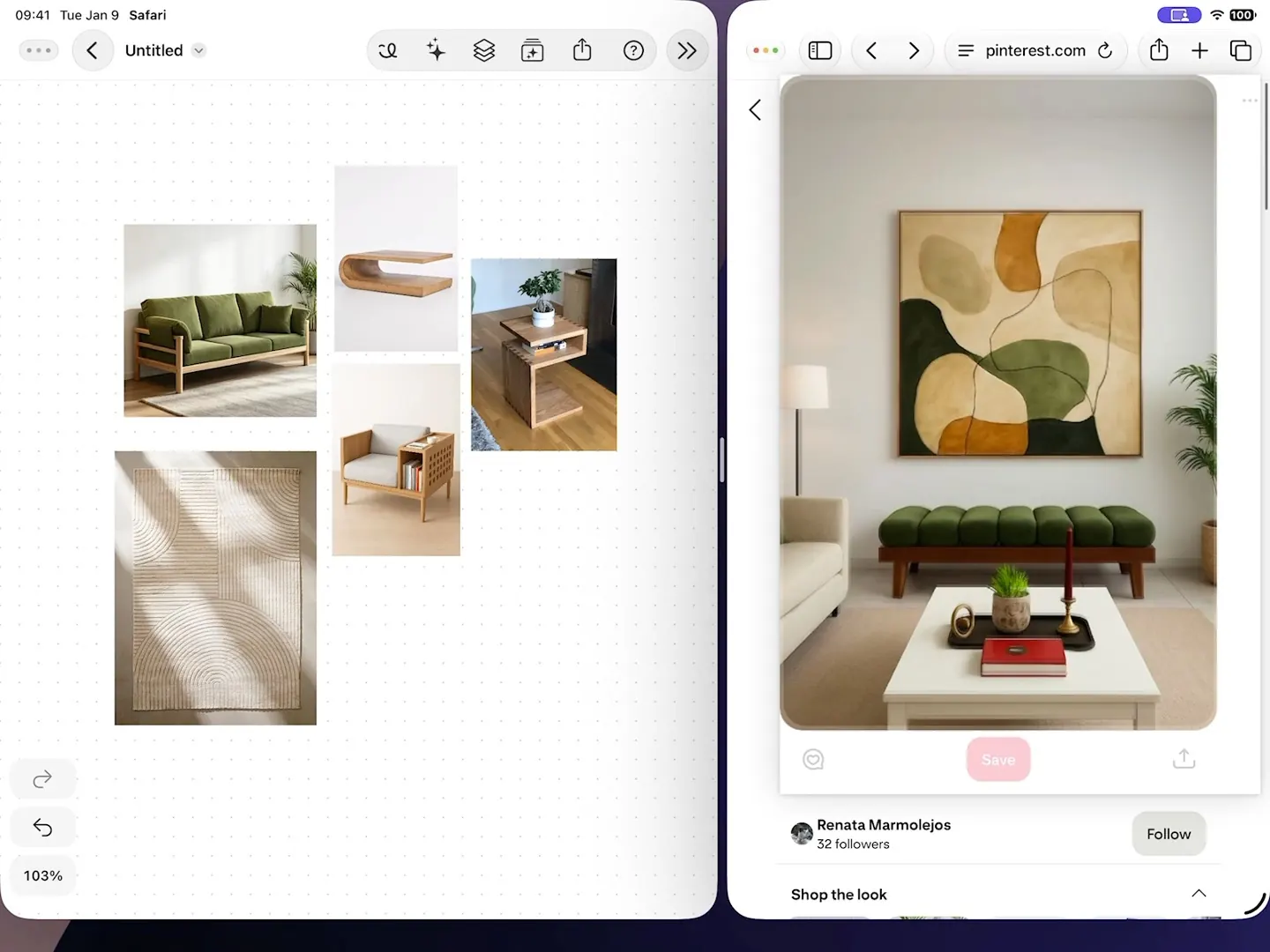
What a plan adds for architecture
With a plan, the 3D editor opens up: massing with Precision and Push & Pull in meters or feet, linked Components for repeated bays and windows, sun studies by time of day, season and north, CAD visual styles such as Architectural Clay and Blueprint, and export as STEP or IGES for your BIM or CAD tool. uMake doesn’t read or write DWG or DXF, and it isn’t a BIM or documentation tool. For a fuller picture of the workflow, read architecture software for Mac or see uMake for architecture.
A common free setup: an open-source CAD or BIM tool for drawings, and uMake’s free Spaces on an iPad for references, sketches over plans and client reviews.
Is uMake free for architects?
uMake is free to download, and you can open and view 3D files, use two Spaces and try the AI tools with one-time credits. Drawing, editing and export in the 3D editor need a plan. See pricing.
Is there a plan for students?
Yes. The Education plan includes everything except the monthly AI allowance, and schools can buy licenses for their classes. See uMake for education.
Can I open SketchUp files for free in uMake?
Yes. Importing and viewing SketchUp, STEP, IGES, OBJ, STL and other 3D files is free. SketchUp import needs a connection.
Do I need an internet connection?
For the first time uMake opens, for most AI tools, for SketchUp import and for content library downloads. Sketching and modeling work offline, and your work syncs when you’re back online.
Try it in uMake
uMake is free to download for iPad, iPhone and Mac.