Skip to contentuMake
Download uMake on the App Store

uMake

3D CAD Modeling, Design

4.3 out of 5 stars,More than 19,000 ratings worldwide

Scan to download on iPad or iPhonewww.umake.com
View on the App Store

Free · In-app purchases

uMake

Sketch & model

From a line to a solid.

Draw loosely or exactly, lift your curves into NURBS surfaces and solids, and build to real size, on iPad, iPhone and Mac.

Free to download, with in-app purchases.
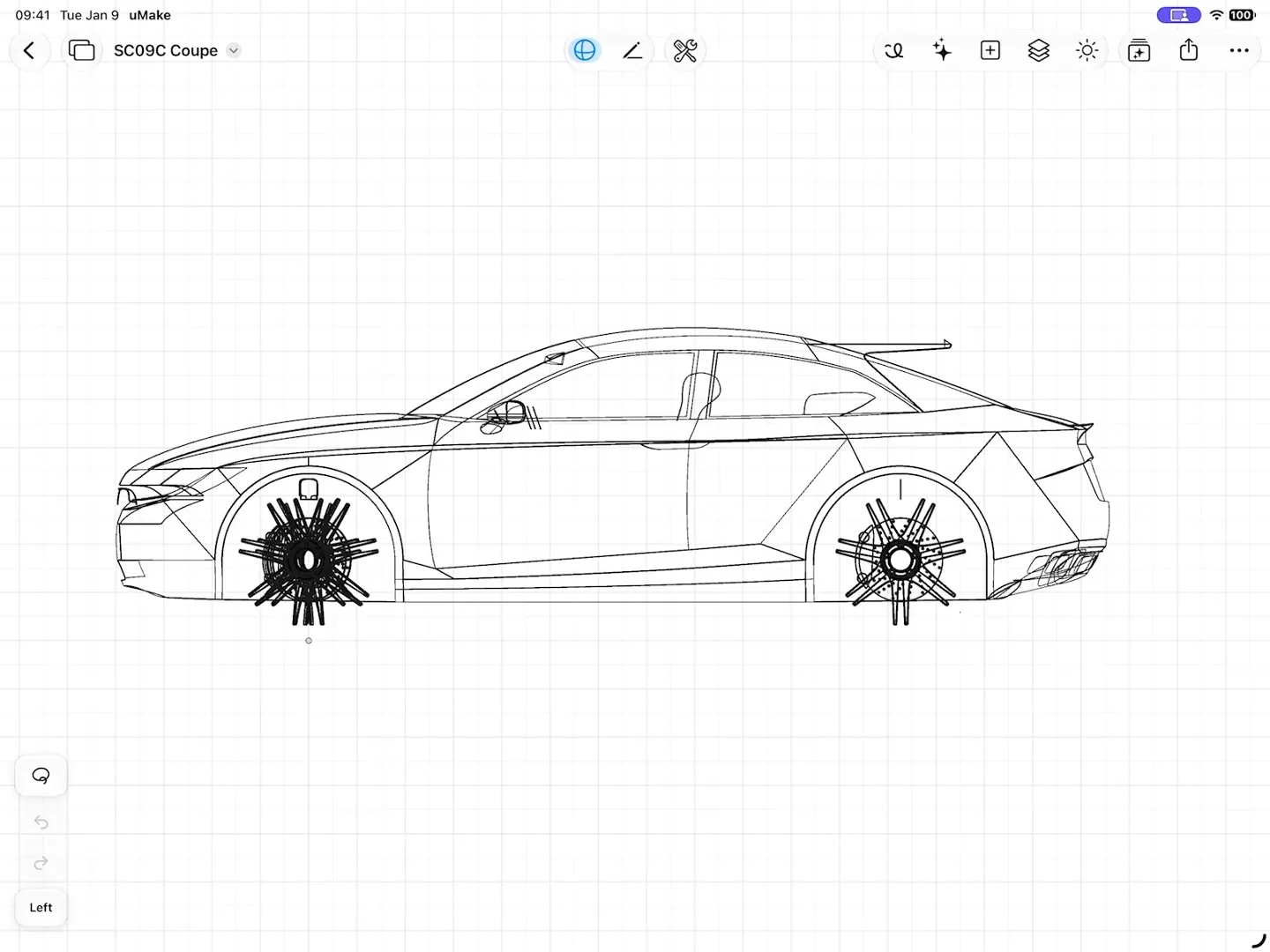
A coupe in the uMake 3D editor, first as its curves, then with its surfaces switched on, orbiting in 3D
fig. 1 · Sketch to 3D · 0:13

The 3D editor

Precise when it matters.

Four ideas carry most of the work: draw it, shape it, repeat it and measure it.

Precision, Pen & Freestyle

Three ways to draw, one canvas.

Precision chains exact line and arc segments into a profile, and a closed loop fills with a surface while Auto Surface is on. Pen lays down one smooth, even curve per stroke. Freestyle keeps it loose, with Ink, Pencil, Marker, Charcoal and Chalk brushes, and every stroke is drawn in 3D.

  • Apple Pencil Mode: Apple Pencil draws while one finger orbits the view
  • Draw on sketch planes, or right on a model’s surface
  • Pen Stabilizer evens out a quick stroke
A living room with a round opening in a plaster screen, drawn as a loose pencil sketch
fig. 2 · First ideas, sketched

NURBS, Project Shape & Combine

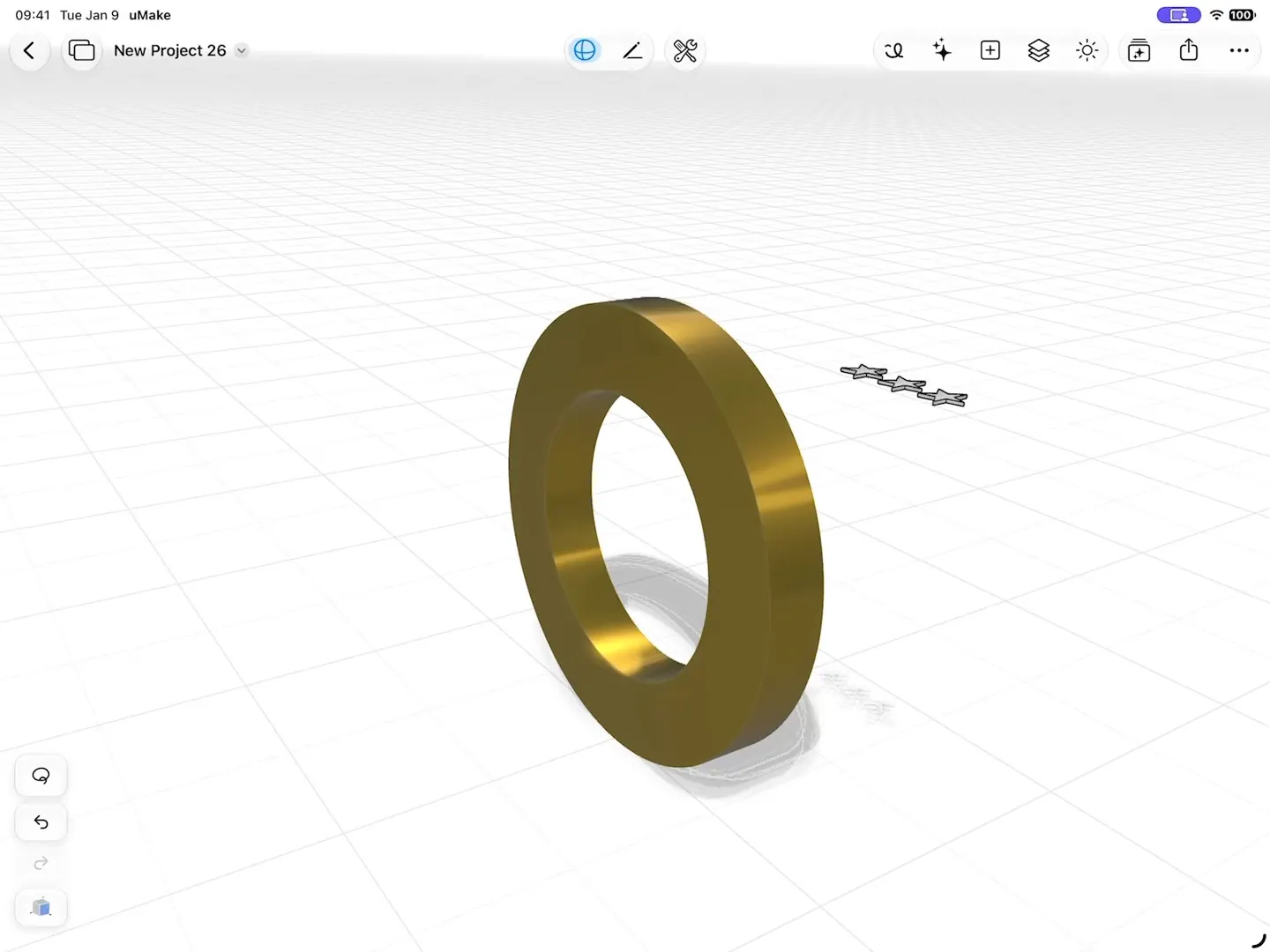
Engrave a ring in two moves.

Lift curves into NURBS surfaces and reshape them by their control points. Wrap a flat logo, grille or pattern onto a curved body with Project Shape, then cut it in with Combine.
  • Combine: Union, Subtract or Intersect, previewed in 3D before you apply
  • Keep the originals, and edit a Combine result later
  • Extrude, Revolve, Loft, Fillet & Chamfer and the rest of the toolkit
Three stars wrapped onto a curved ring with Project Shape, then engraved into it with Combine › Subtract
fig. 3 · Project Shape and Combine · 0:22

Groups & Components

Change one, change them all.

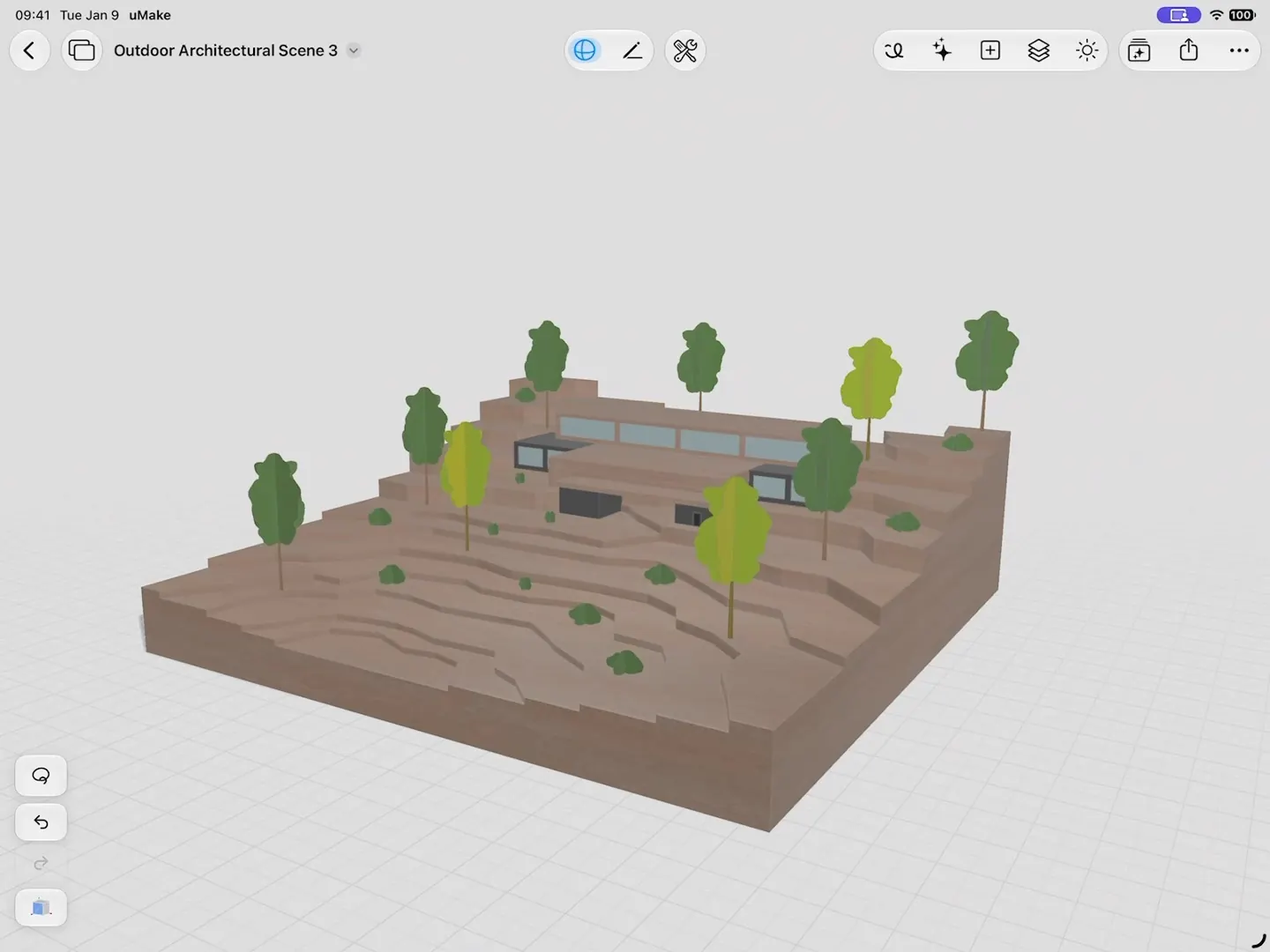
Group shapes and edit inside a group, with a breadcrumb back out. Turn a selection into a Component, and every linked instance updates together.
  • Detach Instance when one copy should go its own way
  • Mesh Edit by face, edge or vertex, for imported or AI-made meshes
One tree recolored in Edit Group on a terraced site, with every linked instance of it following
fig. 4 · Groups and instances · 0:14

Units & CAD files

Design to real size.

Set your document in millimeters, centimeters, meters, inches or feet, add dimensions, and type exact values on the measurement keypad. STEP and IGES come in from other CAD tools and, with a plan, go back out.

  • Export STEP, IGES, OBJ, STL, USDZ and UMK with a plan
  • STL and OBJ, labeled for 3D printing, open in your slicer
  • Open SketchUp, STEP, OBJ and more for free
fig. 5 · A curve, its control points and a dimension

The toolkit

A full CAD toolkit.

The core sketching, surface and solid tools, by their names in the app.

Draw

  • Precision
  • Pen, with Pen Stabilizer
  • Freestyle brushes
  • Sketch Planes
  • Sketch on Surface
  • Snapping and symmetry

Shape

  • Create a Surface
  • Control-point editing
  • Extrude and Push & Pull
  • Revolve and Loft
  • Extrude Along Path
  • Offset
  • Fillet & Chamfer, with corner fillets
  • Split Surfaces

Combine and detail

  • Combine: Union, Subtract, Intersect
  • Project Shape
  • Mesh Edit
  • 3D Text

Organize and measure

  • Group and Edit Group
  • Component and Detach Instance
  • Mirror and Array
  • Pivot and Layers
  • Dimensions and the measurement keypad
  • Insert Content

What you need

What it takes.

Opening files is free. Drawing, editing and export come with a plan.

Import and view 3D files
Free
SketchUp, STEP, IGES, OBJ, STL and more
Drawing and editing in the 3D editor
A plan
Basic, Pro, Studio, Education or a uMake Teams seat
3D export
A plan
STEP, IGES, OBJ, STL, USDZ and UMK, plus high-resolution PNG images
Apple Pencil
Optional
Fingers work on iPad and iPhone, a keyboard and trackpad on Mac

Questions

Questions about modeling.

Still curious? Write to hello@umake.com

  1. Do I need an Apple Pencil to model in uMake?

    No. You can sketch, model and orbit your design with your fingers on iPad and iPhone, and with a keyboard and trackpad on Mac. On iPad, the Pen, Precision and Freestyle tools all work with Apple Pencil, and Apple Pencil Mode lets Apple Pencil draw while one finger orbits the view.

  2. Is uMake for sketching or for precise 3D models?

    Both, in one editor. Sketch freely, then build NURBS curves and surfaces, solids with Extrude, Revolve and Loft, cuts and joins with Combine, and linked Components, measured in mm, cm, m, inches or feet. With a plan, export STEP or IGES for other CAD tools, or STL and OBJ for 3D printing.

  3. Can I open my SketchUp, STEP or OBJ files?

    Yes, for free. uMake imports STEP, IGES, OBJ, STL, USDZ, GLB, DAE, SVG and SketchUp (SKP) files. SketchUp files are converted on uMake’s servers, so that import needs a connection.

  4. What does a plan add to the 3D editor?

    Without a plan you can import and view 3D files. A plan (Basic, Pro, Studio, Education or a uMake Teams seat) unlocks drawing and editing, 3D export and the full content library. Compare plans.

Sketch it. Build it. Measure it.

Start sketching.

uMake for iPad, iPhone and Mac