AI Design Partner
AI Design Partner: words in, editable 3D out.
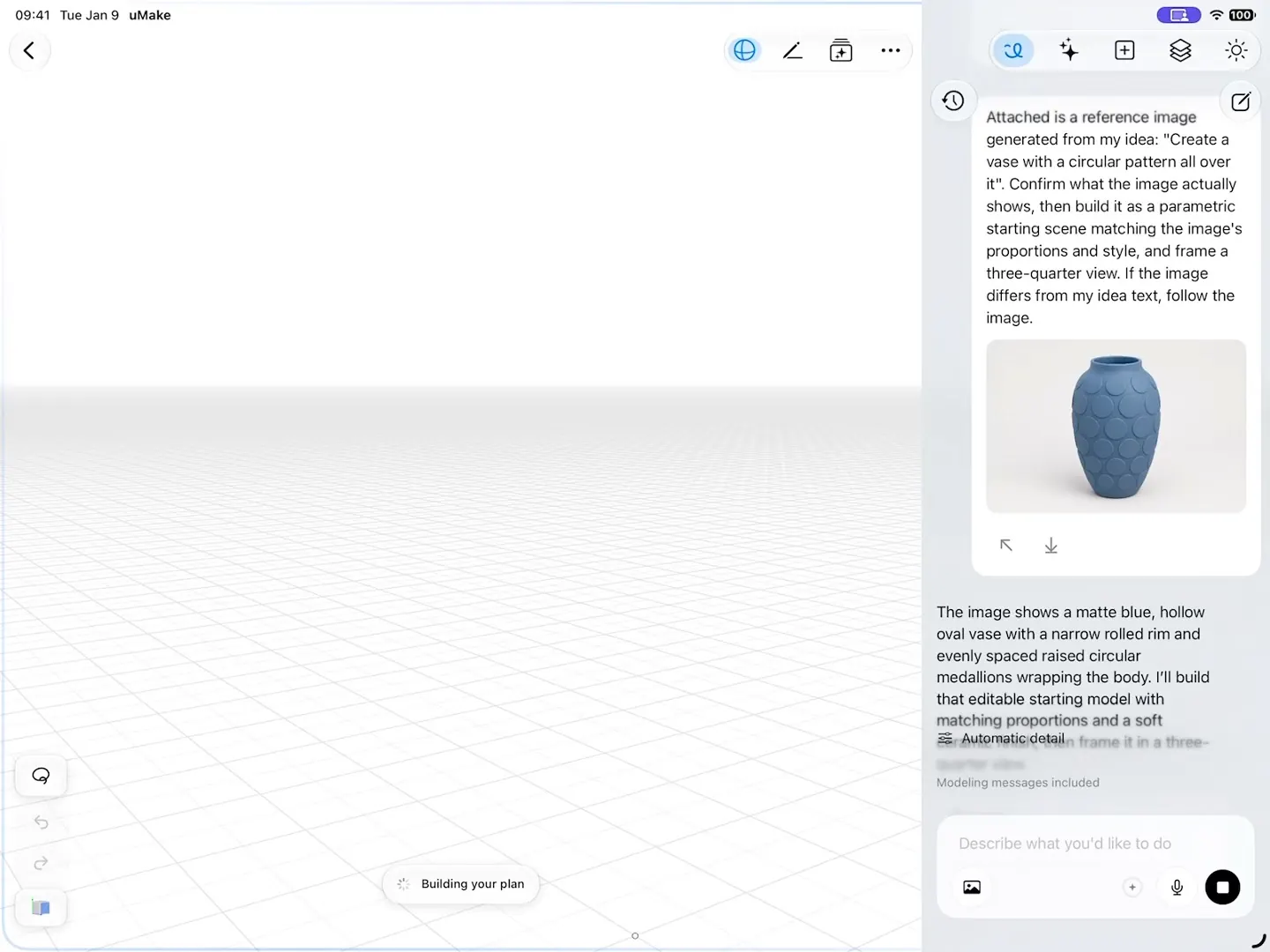
A chat beside your model that builds and edits 3D geometry right on your canvas, from a description or a reference image. You get a model you keep working on, not a picture.
What it does
What AI Design Partner does.
- Builds 3D geometry from a description, such as “a ceramic jug with a comfortable handle”
- Builds from a reference image you attach, like a photo of the object you have in mind
- Builds floor plans from a plan image: measured walls and openings, rotated plans, concave rooms and polygon floors, up to three floors with slabs and straight or U-shaped stairs
- Edits what it built, step by step, in the same chat, which stays with the design
- Everything it makes is real geometry you can keep modeling with every tool in the editor
- In a Space, it can tidy the board: put items on their own layer, cut out objects and arrange layers
How to use it
Step by step.
From the app’s own help, with steps for Apple Pencil and a keyboard there too.
- Tap the Design Partner button among the panel buttons on the right side of the editor's top toolbar to open the chat panel.
- Describe what you want to build or change in the message field — for example a shape to create, or an edit to something already on the canvas — and send the message.
- The Design Partner creates or edits geometry directly in your design; keep the conversation going to refine the result step by step.
- Tap the Design Partner button again to close the panel — your chat stays with this design.
What you need
What it takes.
- AI credits
- AI credits
- A monthly allowance with Basic, Pro and Studio; one-time credits on Free to try it
- If it declines a request
- No credits
- A refused request uses nothing
- A connection
- Online
- It runs in the cloud
Does AI Design Partner make images or 3D models?
3D models: real geometry on your canvas that you can orbit, measure, edit and export like anything you modeled yourself. For images, use Live AI Preview or the AI tools in Spaces.
Can it turn a floor plan into 3D?
Yes. Attach a plan image and it builds the floor plan in 3D with measured walls and openings, up to three floors with stairs. See the guide floor plan to 3D.
Can I keep editing what it builds?
Yes. Keep refining it in the chat, or switch to any tool in the 3D editor: it’s ordinary uMake geometry.
What does it cost to use?
It runs on AI credits: a monthly allowance with Basic, Pro and Studio, and one-time credits on Free to try it. A request it declines uses no credits. See pricing.
Keep exploring
More uMake.
Try it in uMake.
uMake for iPad, iPhone and Mac