3D on iPhone
A 3D modeling app for iPhone: can you really model on a phone?
Updated October 5, 2026
The short answerYes. uMake is a 3D modeling app for iPhone with the same 3D editor as on iPad: you sketch with your fingers, build NURBS surfaces and solids in real units, and export STEP, IGES, OBJ, STL or USDZ with a plan. Your designs sync with iPad and Mac, so you can start on the phone and finish on a bigger screen.
What you can do on an iPhone
A phone is the device you always have, which makes it ideal for catching an idea before it fades. In uMake on iPhone you can:
- Sketch and model in 3D with the Precision, Pen and Freestyle tools, then build surfaces and solids with Extrude, Revolve, Loft and Combine.
- Work to real size, in millimeters, centimeters, meters, inches or feet, with dimensions and a measurement keypad.
- Describe it instead. AI Design Partner builds and edits editable 3D geometry from words or a reference image, such as a photo you just took.
- See it in the room. View in AR places your design on a real table or wall at real size.
- Collect references in a Space: sketches, notes, photos and live 3D designs on one board.
- Open files from other tools for free: STEP, IGES, OBJ, STL, USDZ, GLB, DAE, SVG and SketchUp.
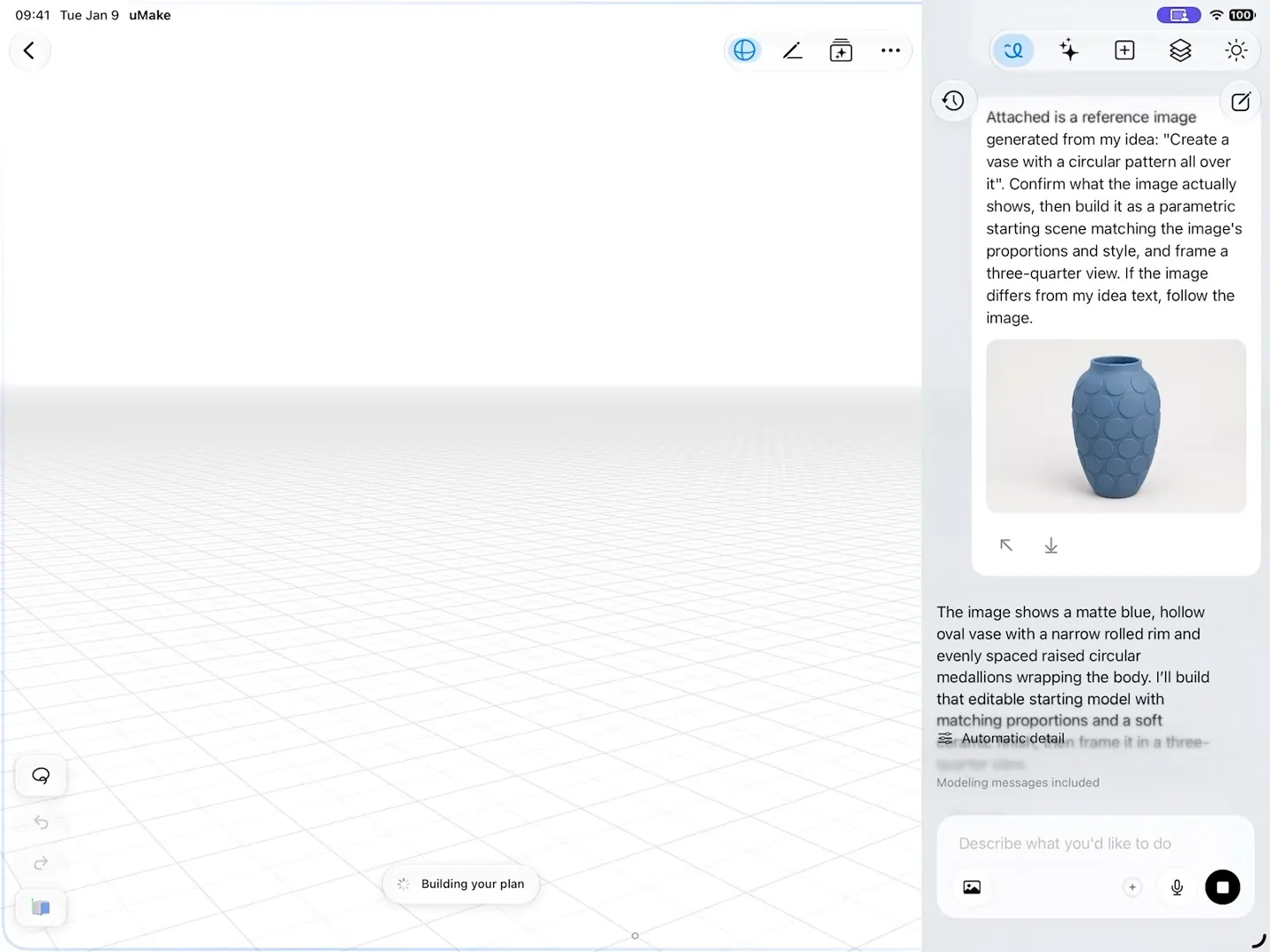
Modeling with your fingers
uMake is built so that every tool works by touch. Tap the orbit button and drag with one finger to circle the model, drag or pinch with two fingers to pan and zoom, and double-tap with two fingers to undo or three to redo. Precision is especially useful on a small screen: it chains exact line and arc segments into a profile, so you don’t need a steady hand for a clean shape, and you can type exact values for dimensions instead of dragging.
Turn the phone sideways. uMake works in every orientation, and landscape leaves more room for the model beside the toolbars.
iPhone, iPad and Mac: one design, three screens
With a free uMake account, designs back up and sync across iPhone, iPad and a Mac with Apple silicon. They live on the device too, so modeling works offline and syncs when you’re back online. You can be signed in on one device at a time.
| Device | Good for |
|---|---|
| iPhone | Catching ideas, quick edits, AI prompts from a photo, View in AR on site |
| iPad | Long modeling sessions, Apple Pencil sketching, presenting to a client |
| Mac with Apple silicon | Keyboard shortcuts and a trackpad at a desk (View in AR isn’t available on Mac) |
On iPhone Duo, the iPad workspace
On iPhone Duo with iOS 27.1, open the phone and uMake gives you the larger workspace it has on iPad: the 3D editor, Spaces and Scene Studio, with room for AI beside your model. Your design, view and selection stay put as you open and close it. See uMake on iPhone Duo.
What you need
- An iPhone with iOS 17.6 or later.
- A connection the first time uMake opens, and for most AI tools. Sketching and modeling work offline.
- A plan to draw, edit and export in the 3D editor. Opening and viewing 3D files is free, and AI tools run on AI credits (compare plans).
Getting your model out
With a plan, export STEP or IGES for desktop CAD, STL or OBJ for a 3D printer, USDZ for AR, or a high-resolution image from the share menu. uMake doesn’t read or write DWG, DXF, 3MF or FBX. See Export & Share for the steps, and every format in one table.
Is there a good 3D modeling app for iPhone?
uMake is one: a full 3D editor with NURBS surfaces and solids, real units, AI Design Partner, View in AR and export to STEP, IGES, OBJ, STL and USDZ. It’s the same app as on iPad and Mac.
Can I do precise modeling on such a small screen?
Yes. The Precision tool builds exact profiles from line and arc segments, and you type exact dimensions on a keypad rather than relying on a steady finger. For long sessions, the same design opens on iPad or Mac.
Does uMake work on iPhone Duo?
Yes, with iOS 27.1. Opened, the phone gets the larger workspace uMake has on iPad. See uMake on iPhone Duo.
Is uMake free on iPhone?
It’s free to download, and opening and viewing 3D files is free. Drawing, editing and export come with a plan. See pricing.
Try it in uMake.
uMake is free to download for iPad, iPhone and Mac.