Skip to contentuMake
Download uMake on the App Store

uMake

3D CAD Modeling, Design

4.3 out of 5 stars,More than 19,000 ratings worldwide

Scan to download on iPad or iPhonewww.umake.com
View on the App Store

Free · In-app purchases

uMake

Features

From first line to final scene.

Sketch freely or precisely, model in real 3D, gather your thinking on an open board, and let AI help you explore and present. One app for iPad, iPhone and Mac.

Free to download, with in-app purchases.

01 · Sketch & model

From a line to a solid.

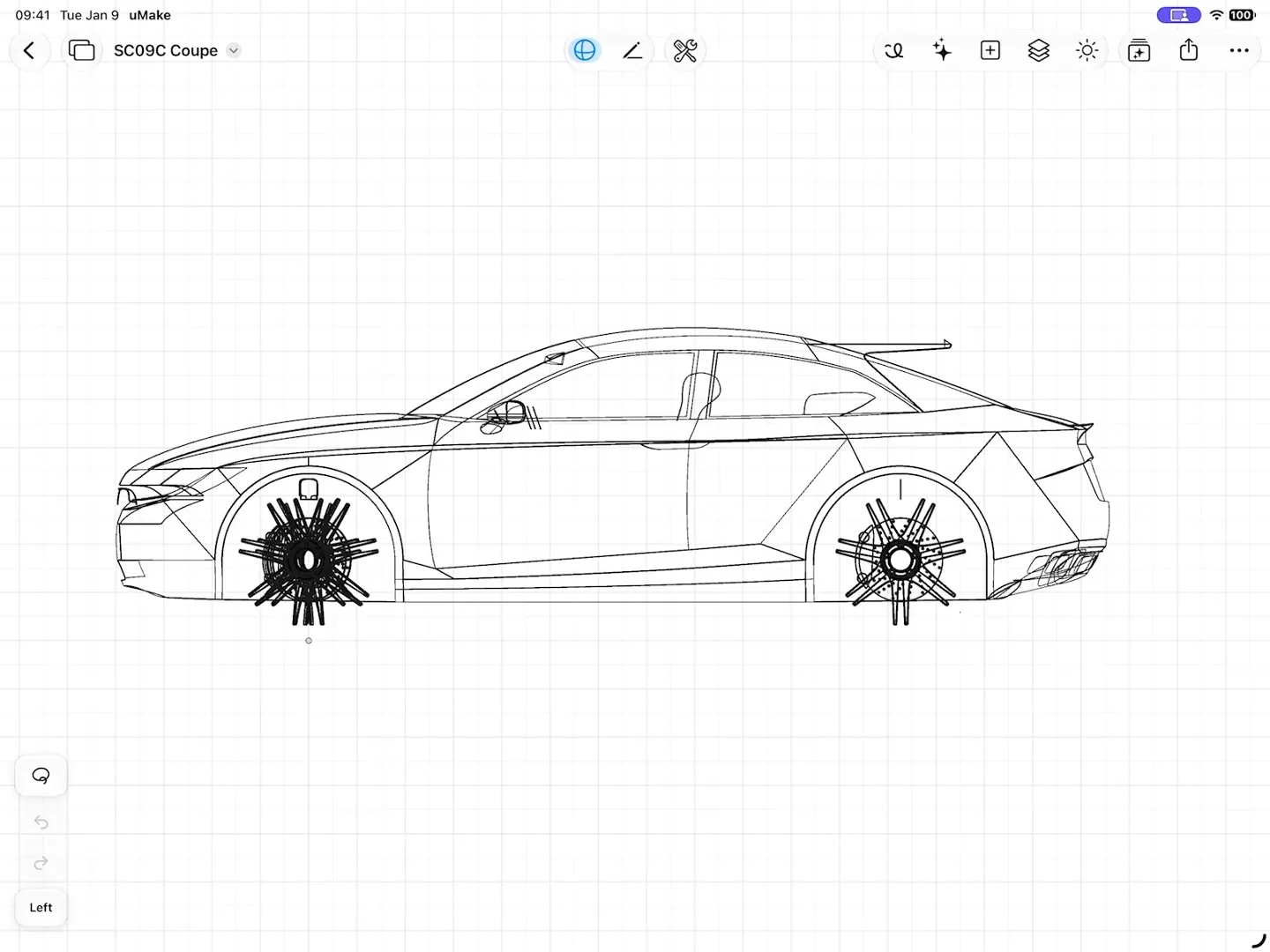
Sketch loosely or exactly, then lift your curves into NURBS surfaces and solids you can measure, combine and export.
  • Precision, Pen and Freestyle tools, with Apple Pencil Mode on iPad
  • Combine with a 3D preview, Project Shape and linked Components
  • Real units from millimeters to feet, with STEP and IGES in and out
Explore Sketch & model
A coupe in the uMake 3D editor, first as its curves, then with its surfaces switched on, orbiting in 3D
fig. 1 · Sketch to 3D · 0:13

02 · AI Design Partner

An AI partner that builds editable 3D.

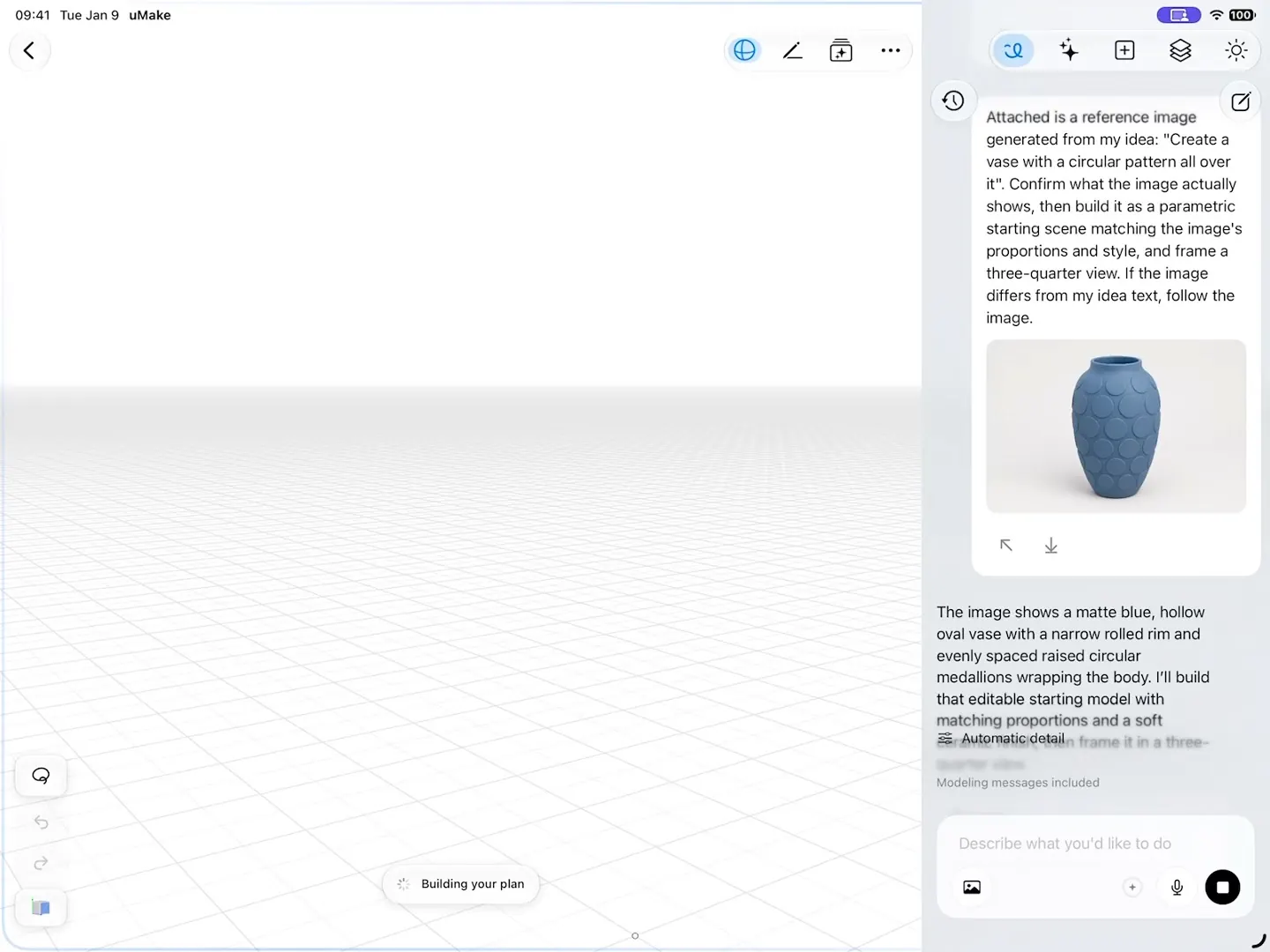
Describe what you want or attach a reference image, and AI Design Partner builds real geometry on your canvas. Keep refining it in the chat, or model it yourself.
  • Floor plans from a plan image, up to three floors with stairs
  • Live AI Preview renders the finished look beside your model
  • AI tools in Spaces compose, vary, restyle and split images
Explore AI
AI Design Partner reads a reference image of a blue vase and builds an editable 3D model of it on the canvas
fig. 2 · AI Design Partner · 0:10

03 · Spaces

Spaces: models, sketches and references on one board.

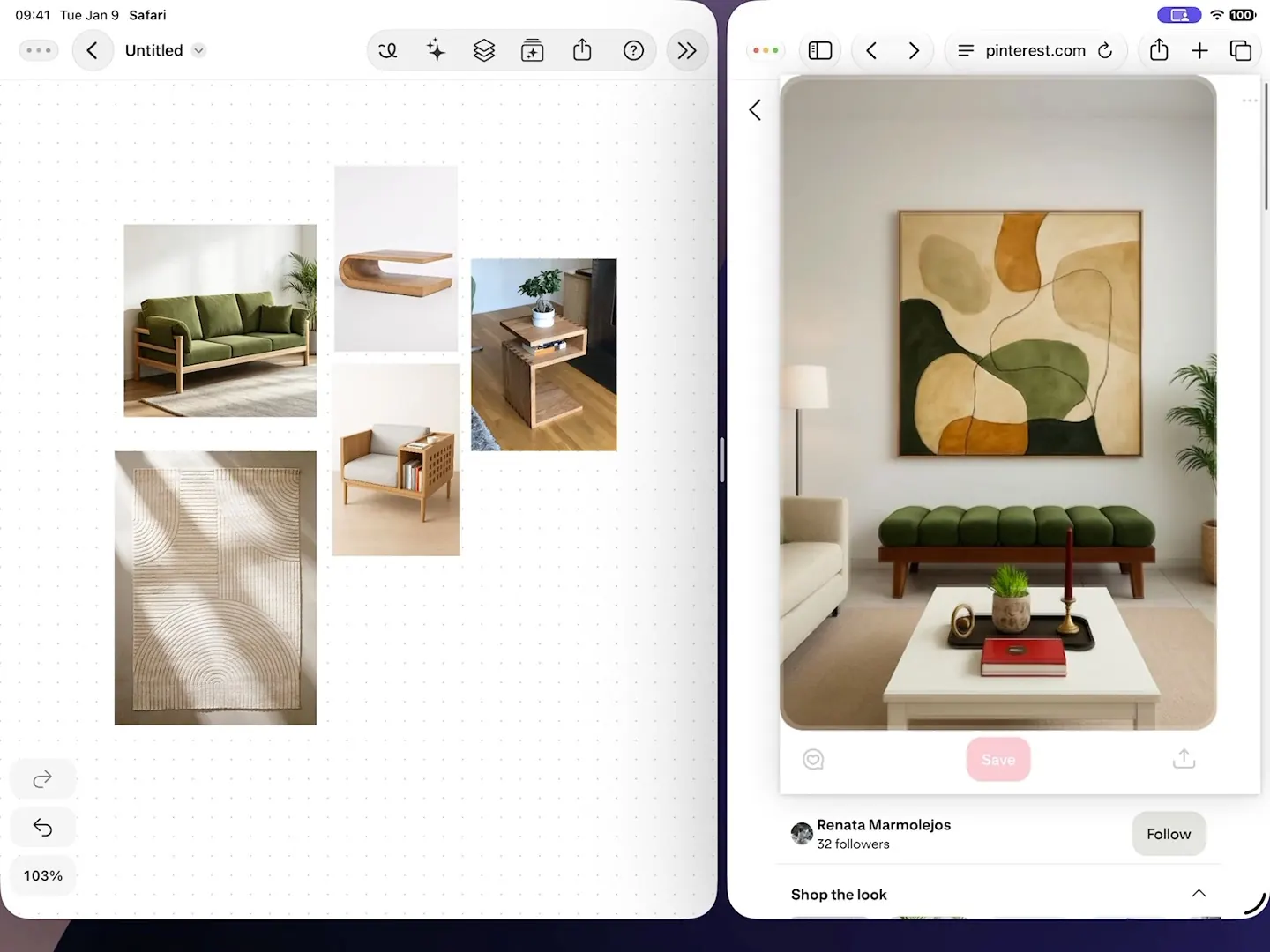
Keep sketches, notes, photos, videos and live 3D designs together on one open board, then let AI work on whatever you select.
  • Layers and layer groups, with an underlay for tracing plans
  • Flows, Compose a Scene, Variations, Apply Style and Split into Layers
  • Drag references in from other apps, even straight from the web
Explore Spaces
References dragged into a Space from a web browser in Split View, selected, and composed into one living-room scene
fig. 3 · Compose a Scene · 0:18

04 · Scene Studio & rendering

Scene Studio: turn a picture into a short film.

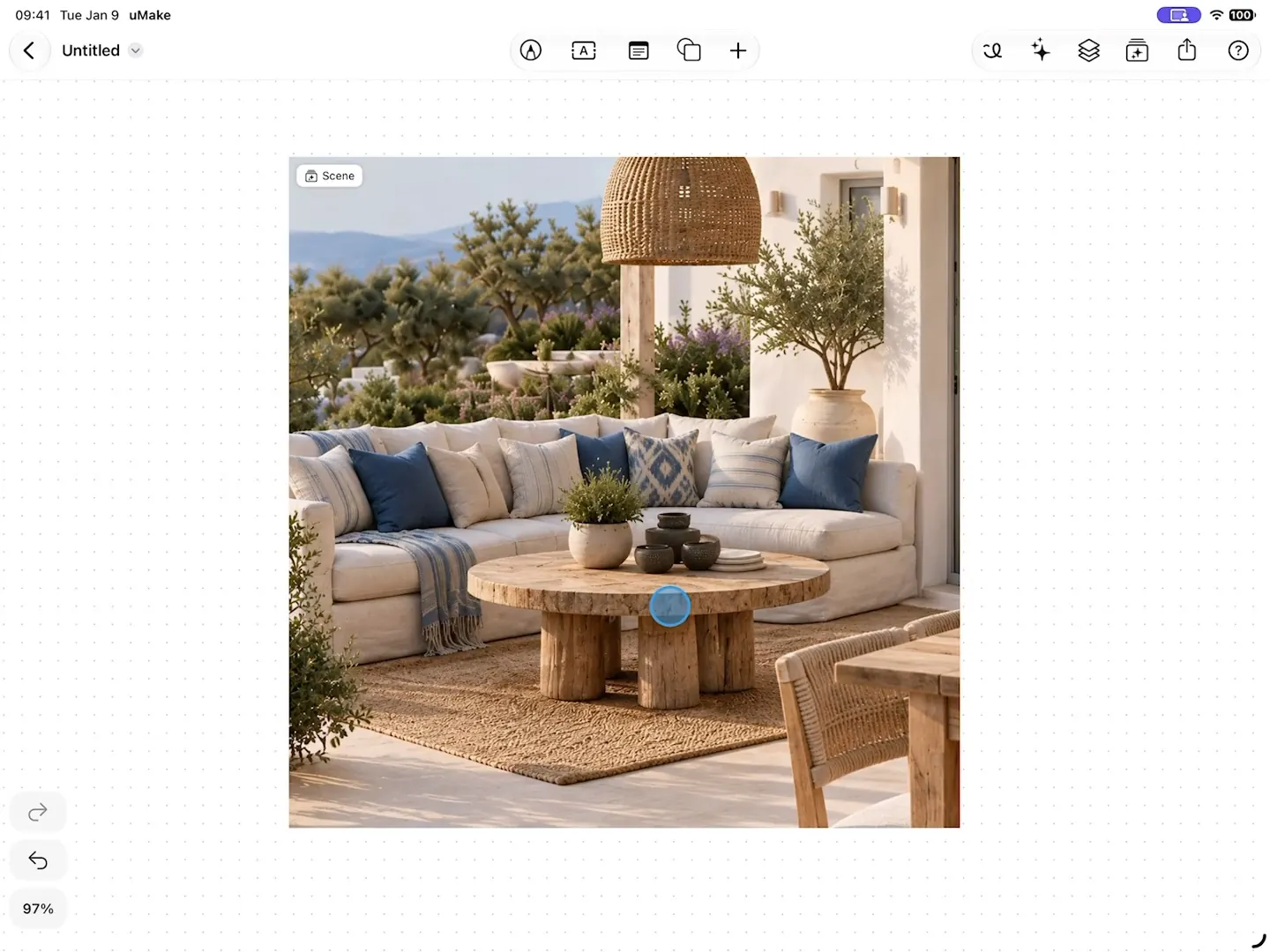
Bring a picture to life in Scene Studio: move objects, change the light and steer the camera. Each change becomes a short clip, and the whole story saves as a video.
  • Time of day, season and weather, and a 360° camera orbit
  • PBR materials, sun studies and CAD visual styles in the 3D editor
  • Hi-Res Image export from the share menu
Explore Scenes & rendering
Scene Studio on a terrace: the pillows changed to terracotta by a typed request, then the light set to golden hour, each change saved as a clip
fig. 4 · Scene Studio · 0:25

AR, sharing & files

See it in your room.

Place your design on a real table or wall with View in AR on iPhone and iPad, present it full screen, and export it for CAD, AR or 3D printing.

  • Imports STEP, IGES, OBJ, STL, USDZ, GLB, DAE, SVG and SketchUp
  • Exports STEP, IGES, OBJ, STL, USDZ and UMK with a plan
  • Autosaves on your device, and syncs with a free account
Explore AR & files
A walnut side table against a sage plaster wallBefore
The same side table with a terracotta jug placed on it in ARIn AR
Illustration · a design placed on a real side table

Library

Never start from empty.

Every plan comes with uMake’s full content library: ready-made models, textures, materials and environments to drop straight onto the canvas from Insert Content.

  • Ready-made models

    2D and 3D elements to place, scale and build around, so a scene starts furnished.

  • Textures and materials

    Finishes for every surface, ready to apply and adjust.

  • Environments

    Environment light for your scene, and for the reflections in it.

  • Your own uploads

    Your images and models, right beside the library.

Looking for a model or texture you saw on our old library pages? The library lives in the app: open Insert Content and search.

Platforms

Made for the way you work.

One app for iPad, iPhone and Mac. Your designs follow you to whichever device you sign in on.

Devices
iPad and iPhone, and a Mac with Apple silicon, where the iPad app runs natively.
Requires
iPadOS or iOS 17.6 or later.
Apple Pencil
Optional. Use your fingers on iPad and iPhone, or a keyboard and trackpad on Mac. On iPad, Apple Pencil Mode lets Apple Pencil draw while one finger orbits the view.
Languages
14: English, Arabic, Chinese (Simplified and Traditional), French, German, Hebrew, Italian, Japanese, Korean, Portuguese, Russian, Spanish and Thai.
Offline
Sketching and modeling work offline. You need a connection the first time you open uMake, for most AI tools, for SketchUp import and for library downloads.
Sync
A free uMake account backs up your designs and syncs them across your devices, signed in on one at a time.
AR
View in AR on iPhone and iPad.

Files

Bring your files with you.

uMake opens the formats your other tools speak, and exports for CAD, AR and 3D printing. SketchUp files are converted on uMake’s servers, so that import needs a connection.

Opens in the 3D editorFree

  • STEP
  • IGES
  • OBJ
  • STL
  • USDZ
  • GLB
  • DAE
  • SKP
  • SVG
  • ZIP
  • UMK

Opens in SpacesFree

  • USDZ
  • GLB
  • UMKS
  • images
  • videos

Exports from the 3D editorWith a plan

  • STEP
  • IGES
  • OBJ
  • STL
  • USDZ
  • Hi-Res PNG
  • UMK

Exports from Spaces and Scene Studio

  • PNG
  • UMKS
  • MP4

Plans

What a plan unlocks.

uMake is free to download. A plan (Basic, Pro, Studio, Education or a uMake Teams seat) unlocks drawing, editing, export and the full library; the AI tools run on credits.

What uMake includes without a plan and with one
FreeWith a plan
3D editor
Import and view 3D filesSketchUp includedIncluded in FreeIncluded in With a plan
Draw and edit in 3DNot included in FreeIncluded in With a plan
3D exportSTEP, IGES, OBJ, STL, USDZ, UMKNot included in FreeIncluded in With a plan
The full content libraryNot included in FreeIncluded in With a plan
Spaces and AI
SpacesTwoUnlimited
AI creditsThe Education plan has no allowance; credit packs can be boughtOne timeTo try themEvery monthWith Basic, Pro and Studio
Live AI PreviewNot included in FreeIncluded in With a planBasic, Pro and Studio

From first line to final scene.

Make room for your ideas.

uMake for iPad, iPhone and Mac